
Updated: July 26, 2026
If your EcoVadis proof was rejected, the first step is to understand what “rejected” usually means. In many cases, the file was not rejected as a file. It was uploaded, reviewed, and then not credited because the evidence did not clearly support the answer.
This guide explains the main reasons EcoVadis evidence is rejected, not accepted, or not credited: relevance, date, credibility, scope, and clarity. Use it when you already submitted proof and want to understand why the document did not count the way you expected.
Quick answer: why was your EcoVadis proof rejected?
- Your proof may not answer the specific question or evidence type being assessed.
- The document may be too old, especially if it is KPI, reporting, or performance evidence.
- The evidence may look informal, incomplete, editable, or created only for the assessment.
- The document may not clearly apply to the assessed legal entity, site, or scope.
- The right information may be difficult to find in the file, especially in long reports or scanned documents.
- If the issue was a file upload problem, use the documents-not-accepted triage page first.
Are you in the right place?
- You are not sure where to find answer status, Score Details or document analysis? Start with How to Read Your EcoVadis Scorecard.
- Your file failed upload or was marked as not accepted? Start with what to do when EcoVadis documents are not accepted.
- You uploaded proof and EcoVadis did not seem to credit it? Stay on this page.
- You want to check your documents before submitting? Read how to find and fix EcoVadis evidence gaps.
- You need a document planning checklist? Use the EcoVadis required documents checklist.
- You think EcoVadis made a factual error after publication? Read what to do if you disagree with your EcoVadis score.
Quick Navigation
- 1. What rejected proof usually means
- 2. The analyst logic behind accepted evidence
- 3. Reason 1: relevance mismatch
- 4. Reason 2: outdated evidence
- 5. Reason 3: credibility gap
- 6. Reason 4: scope mismatch
- 7. Reason 5: clarity and findability problem
- 8. Rejected proof repair checklist
- 9. Frequently Asked Questions
What Rejected Proof Usually Means
EcoVadis proof rejected is a broad phrase. It can mean the document was technically rejected, or that the uploaded evidence was reviewed and not credited. This page focuses on the second situation: the document was available to the analyst, yet the evidence did not clearly support the answer.
EcoVadis states that questionnaire responses can only be credited when requested documentation backs them up. That makes the document more than an attachment. It is the evidence trail behind your answer.
My EcoVadis Document Says “Eligible”. Why Was My Answer Still Rejected?
An Eligible document status does not mean that every questionnaire answer linked to that document was accepted. EcoVadis reviews the evidence in relation to each selected answer. A file can meet the document-level requirements and still fail to prove a specific declaration.
After your scorecard is published, check My Performance > Score details > Analysis of your answers. EcoVadis says this section shows how your questionnaire answers and attached documents affected the assessment, including the status of evidence submitted for individual questions and reasons why answers were not accepted.
The step-by-step EcoVadis scorecard guide shows how to move from the theme and indicator view into Analysis of your answers, selected answers, Accepted or Rejected status and document details.
Example: an eligible training record can still be insufficient
A training spreadsheet may be a legitimate company record and still fail a Reporting answer if it does not clearly show the specific KPI the question asks for. For reporting evidence, check whether the document makes the reporting period, unit and numerical result clear, rather than only listing individual activities or attendance records.
Official reference: EcoVadis explains the role of evidence in its supporting documents guidance.
For answer-level review, see EcoVadis guidance on reading your scorecard and the Analysis of your answers section.
EcoVadis also explains the more detailed answer rejection reasons shown in Score details.
The Analyst Logic Behind Accepted Evidence
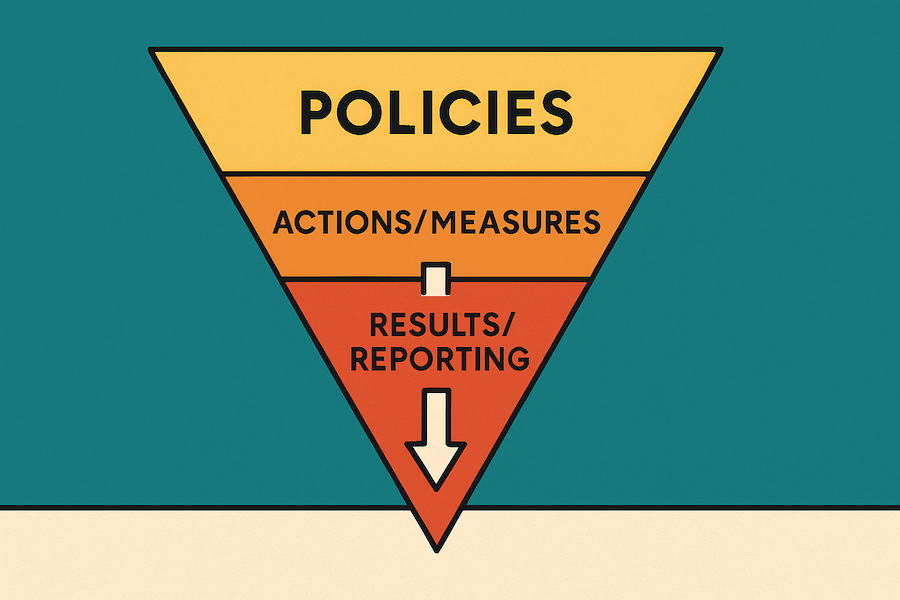
EcoVadis evidence is strongest when it shows a working management system. In practical terms, that means your documents should connect commitments, implementation, and performance.
- ✔ Policies: formal commitments, objectives, and expectations.
- ✔ Actions: implementation evidence such as procedures, training, audits, assessments, controls, certificates, and improvement actions.
- ✔ Results: KPI, reporting, performance, monitoring, and trend evidence.
For a broader explanation of how EcoVadis evaluates sustainability management systems, see the EcoVadis methodology explained guide.
📌 Evidence fit rule
Before asking why EcoVadis rejected a document, ask whether the document proves the exact type of evidence requested: Policy, Action, or Result.
Reason 1: Relevance Mismatch
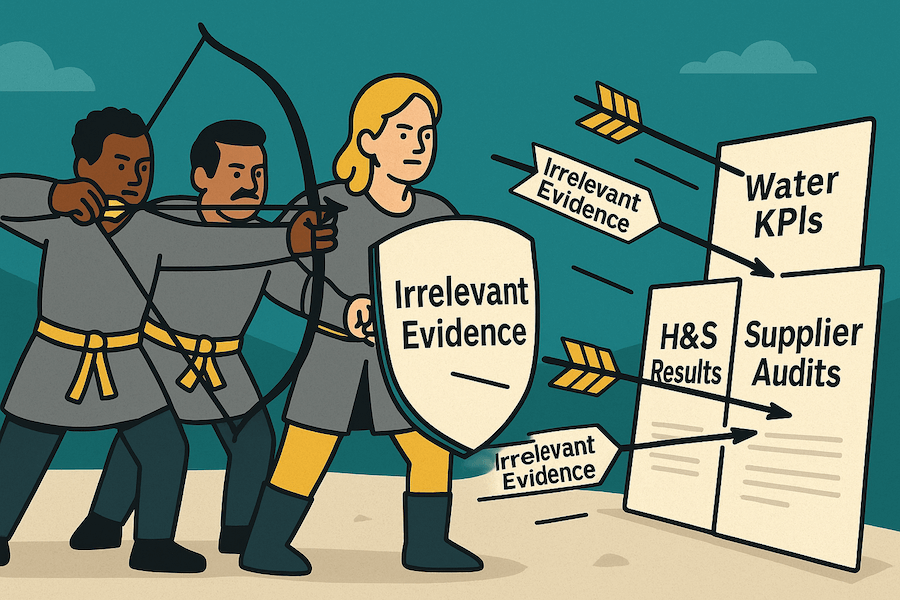
The problem: The document is related to the theme, but it does not answer the specific question. For example, an environmental policy may support a policy question, while a water KPI question needs water performance data.
This is one of the most common reasons EcoVadis evidence is not credited. A general sustainability report, policy, or certificate may be useful in one place and weak in another.
How to fix it
- Read the question type first. Is EcoVadis asking for a Policy, Action, or Result?
- Match the document to the evidence type. Do not use a policy as a substitute for KPI data or implementation proof.
- Use comments and page references. If the answer is on page 42 of a long report, say exactly where the analyst should look.
- Use focused filenames. For example:
Environment_Water-KPI-Report_2025.pdfis clearer thanreport_final_v2.pdf.
For a Result question, an analyst usually needs data. For example, Gerresheimer provides Lost Time Incident Rate performance across multiple years in its Non-financial Report, which makes the performance trend easier to verify.
Reason 2: Outdated Evidence
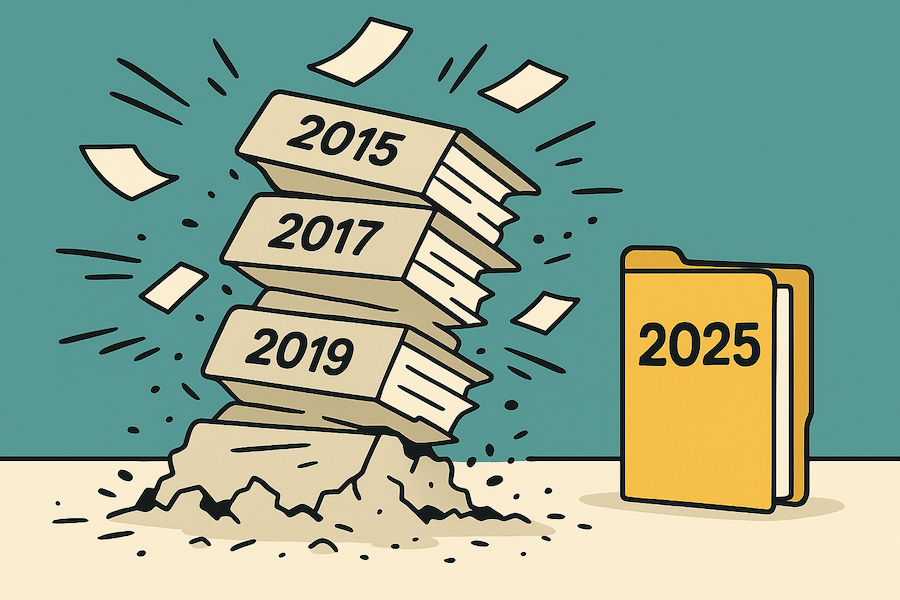
The problem: The document may be relevant, but the date is outside EcoVadis validity expectations. This is especially common with KPI reports, old policies, old certificates, and historical sustainability reports.
EcoVadis guidance refers to an eight-year validity period for policies and actions and a two-year validity period for KPI reporting documents in several document-preparation contexts.
How to fix it
- Check the document date. Look for issue date, approval date, review date, reporting year, and KPI period.
- Separate policy/action evidence from results evidence. KPI and reporting evidence usually needs to be much more recent.
- Replace old files where possible. If the policy is still active, add evidence of review or reapproval.
- Build a current evidence library. Keep a folder of documents suitable for the current assessment or reassessment.
Official reference: EcoVadis discusses validity periods for supporting documents in its guidance on third-party documents and document preparation for smaller companies.
Reason 3: Credibility Gap
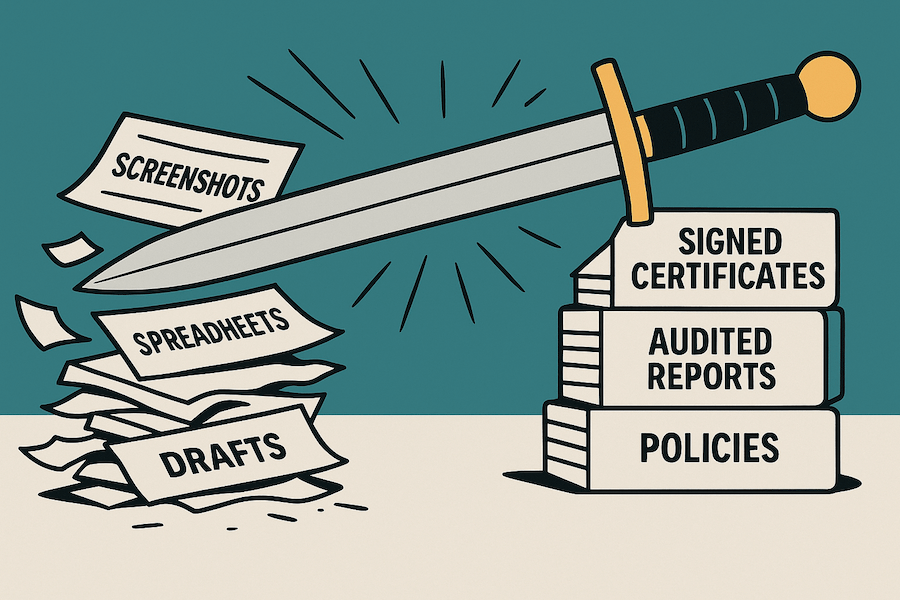
The problem: The evidence may look informal, incomplete, editable, or created only for the assessment. Examples include draft policies, unlabelled spreadsheets, screenshots without context, and internal exports with no clear source, owner, entity, reporting period, or scope.
Credibility does not mean every document must be externally audited. Internal evidence can be useful when it is official, controlled, clearly attributable to your company, appropriately dated or reviewed for the document type, scoped, and clearly part of your management system.
How to fix it
- Use official records. Make the company identity, owner, title, approval or review status, and scope clear. For policies, include an issue, approval or effective date and a clear review mechanism or review date. For KPI and reporting evidence, make the reporting period explicit.
- Turn raw exports into controlled documents. Add reporting period, methodology notes, responsible team, and version control.
- Avoid last-minute evidence created only for the assessment. EcoVadis expects authentic, pre-existing, complete documents.
- Use third-party evidence where appropriate. Certificates, audited reports, verified databases, and assurance statements can strengthen the evidence trail.
For example, Vetter Pharma publishes ISO certificates through its downloads page, and Ansell explains its Zero Waste to Landfill certification from Intertek in its public FAQ. These are examples of evidence that is easier to verify than an unlabelled screenshot.
📌 Important nuance
A screenshot is not automatically useless, especially when it supports a certificate or database record. It becomes stronger when the source, company or entity, scope, relevant date or reporting period, and verification context are clear.
Reason 4: Scope Mismatch
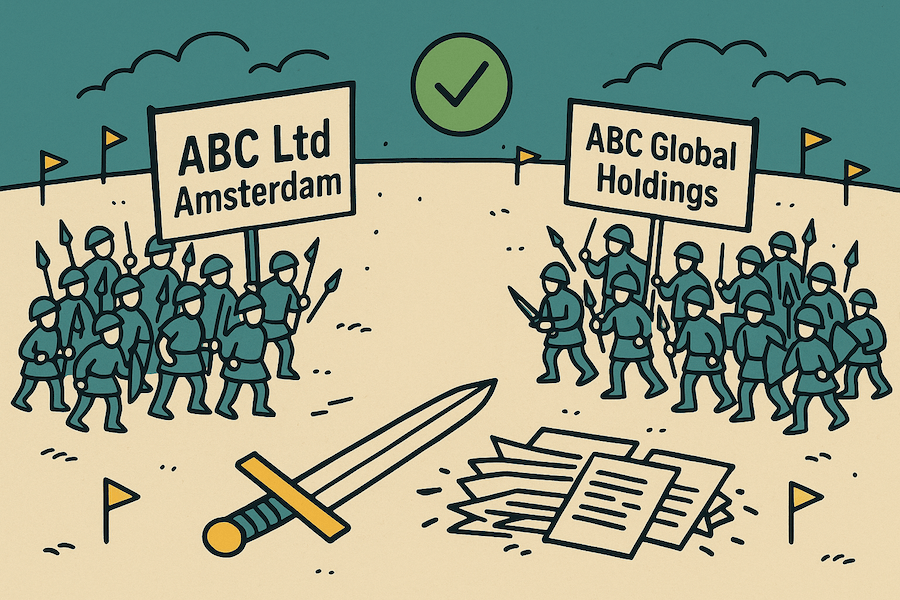
The problem: The evidence may relate to the wrong legal entity, site, country, business unit, or parent company. This is common for subsidiaries, multi-site companies, and groups with central policies.
A group-level policy can be useful, but the document or questionnaire comment should make clear that it applies to the assessed entity. Site-specific evidence can also be useful, but the coverage needs to be clear.
How to fix it
- Confirm the assessed scope. Check the exact legal entity, address, and assessment scope in the EcoVadis dashboard.
- Match names and entities. The document should name the assessed entity or clearly apply to it.
- Explain group applicability. If using parent-company evidence, explain how it applies to the subsidiary or assessed entity.
- Add local implementation proof. Pair group policies with site records, training logs, certificates, procedures, or KPI evidence from the assessed scope.
For example, Konica Minolta shows group-level environmental management information alongside site certification information on its environmental management system page. That type of structure helps connect central policy to local implementation.
Reason 5: Clarity and Findability Problem

The problem: The right evidence exists inside the file, but it is hard to find. This happens with long sustainability reports, dense policy manuals, scanned PDFs, non-English files, and documents with no page references.
EcoVadis guidance says machine-readable documents help information extraction and translation during the assessment process. If a file is scanned, locked, image-only, or difficult to search, important evidence can be missed or delayed.
How to fix it
- Use machine-readable files. Upload searchable PDFs or text-based documents where possible.
- Point to the exact page. Use the comment box to identify page numbers, sections, tables, and KPI names.
- Do not rely on embedded hyperlinks. Evidence should be contained in the uploaded file or captured document.
- Translate the key section if needed. If the document is not in English, provide the relevant translated excerpt in the comment box.
- Use clear filenames. Include theme, topic, evidence type, entity, and year where useful.
Official reference: EcoVadis explains why documents should be machine-readable in its machine-readable documents guidance.
Rejected Proof Repair Checklist
Use this checklist when EcoVadis proof was rejected, not accepted, or not credited.
Working before submission? Use the separate guide on finding and fixing EcoVadis evidence gaps to audit your document set before you submit or reassess.
Frequently Asked Questions
Why was my EcoVadis proof rejected?
EcoVadis proof is often rejected or not credited because it does not answer the exact question, is too old, lacks credibility, does not clearly apply to the assessed scope, or is difficult for the analyst to find and verify.
What is the difference between a document not accepted and proof not credited?
A document-not-accepted issue often points to a file or upload problem. Proof-not-credited usually means the document was available for review, but it did not clearly support the questionnaire answer.
My EcoVadis document says “Eligible”. Why was my answer still rejected?
Document eligibility and answer acceptance are different checks. A document can meet the document-level requirements but still fail to support a specific questionnaire answer. Check Analysis of your answers in My Performance to see the question-level status and rejection reason.
How old can EcoVadis documents be?
EcoVadis guidance commonly refers to eight years for policies and actions and two years for KPI reporting documents. Check the document type, issue date, review date, and reporting period before upload.
Can screenshots or Excel files count as EcoVadis proof?
They may help in some cases, especially as supporting context, but they are usually weaker than official, clearly attributable, scoped, and controlled documents. Add source, owner, entity, relevant date or reporting period, and explanation wherever possible.
Can I use a parent-company policy for my EcoVadis assessment?
Yes, if the policy clearly applies to the assessed entity. Explain the relationship between the group and the assessed entity, and add local implementation evidence where needed.
Should I submit a Scorecard Inquiry if my proof was rejected?
Use a Scorecard Inquiry only for a specific clarification or factual-error issue. Include the document name, page number, question code, and the exact point you want reviewed. Weak or missing evidence is usually better handled before reassessment.
📝 Key Takeaways
- Rejected proof usually means a mismatch. The file may have uploaded, yet the evidence did not clearly support the answer.
- Check five areas: relevance, date, credibility, scope, and clarity.
- Match proof to evidence type. Policy, Action, and Result questions need different documents.
- Make evidence easy to review. Use searchable files, clear filenames, page references, and short comments.
- Use the right next route. Technical file issues belong on the documents-not-accepted page. Pre-submission repair belongs on the evidence-gaps page. Specific factual-error questions may fit the Scorecard Inquiry route.
Need Expert Help Reviewing Your EcoVadis Evidence?
Already received your scorecard?
An EcoVadis Scorecard Review helps you understand your results, identify likely evidence gaps, and prioritise what to fix before reassessment.
Preparing to submit?
Submission Support can help you check whether your evidence is relevant, current, credible and in scope, resolve priority gaps, and prepare the questionnaire and document set before submission.
Related Reading & Resources
- How to Read Your EcoVadis Scorecard: find Score Details, answer status, Analysis of your answers and document-level evidence information before diagnosing why proof was not credited.
- What to Do When Your EcoVadis Documents Are Not Accepted: use this for file upload issues, technical rejection, and document-limit triage.
- A Guide to Finding and Fixing EcoVadis Evidence Gaps: use this before submission or reassessment to repair weak evidence.
- EcoVadis Required Documents Checklist: use this to plan your evidence library.
- What to Do If You Disagree With Your EcoVadis Score: use this if the issue may be a factual error or Scorecard Inquiry question.
About Double Your Sustainability
Rutger founded Double Your Sustainability to answer one key question: how can companies work through the EcoVadis assessment with confidence? He draws on 15 years of corporate sustainability experience and direct lessons from achieving EcoVadis Platinum medals and supporting companies with practical assessment preparation.
As a certified EcoVadis Solutions Practitioner with an MSc. in Strategic Sustainable Development, his focus is on turning sustainability work into clear, credible evidence.